Building a Dummy Agentic System and My Naive Lens on AI Agents
- References, Credits and Inspirations:
- Beyond the Dev-UI: How to Build an Interface for an ADK agent
- Google Agent Development Kit (ADK)
- The Anatomy of Tool Calling - A deep dive into Python functions and tool calling.
- How to Build an Agent - [Agent building from AMP]
- Questions :
Everyone is talking about “Agents” right now. It feels like we went from “AI that writes poems” to “AI that fixes my code” overnight. But if you strip away the hype, what actually is an agent?
I recently read a great blog “How to Build an Agent” and the takeaway was refreshing: The Emperor has no clothes. An agent isn’t some sentient magic box; it’s an LLM, a loop, and a set of tools.
This inspired me to build a Dummy Agentic System (a dummy system to demonstrate agent capabilities) with the Google ADK. In doing so, I realized something fundamental about how software is changing.
Demo of the system
It’s a simple canvas where users can add, move, or delete 2D shapes (circles, squares, triangles) using a chat interface.
State 0: Initial State We start with a circle and a triangle.
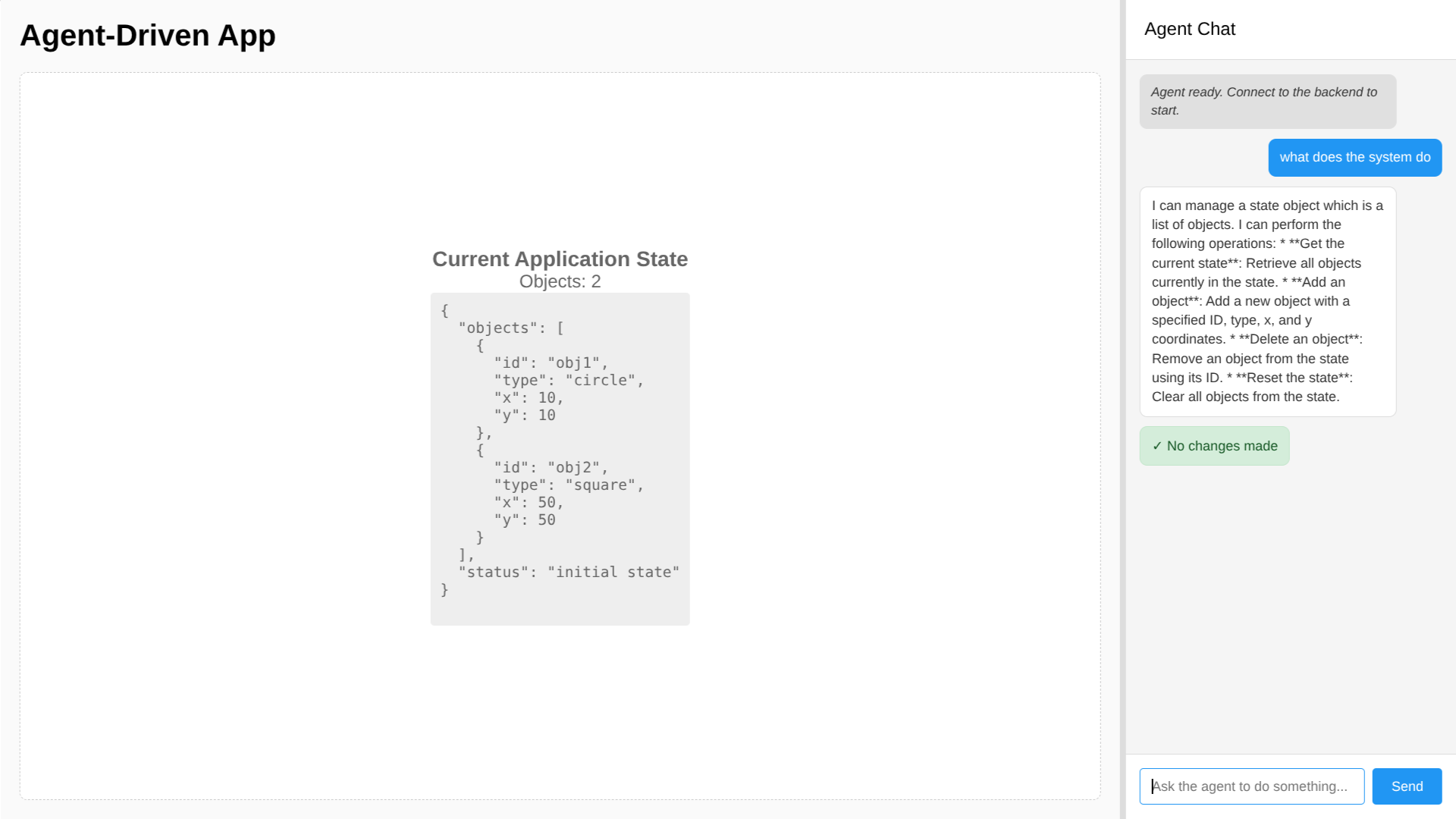
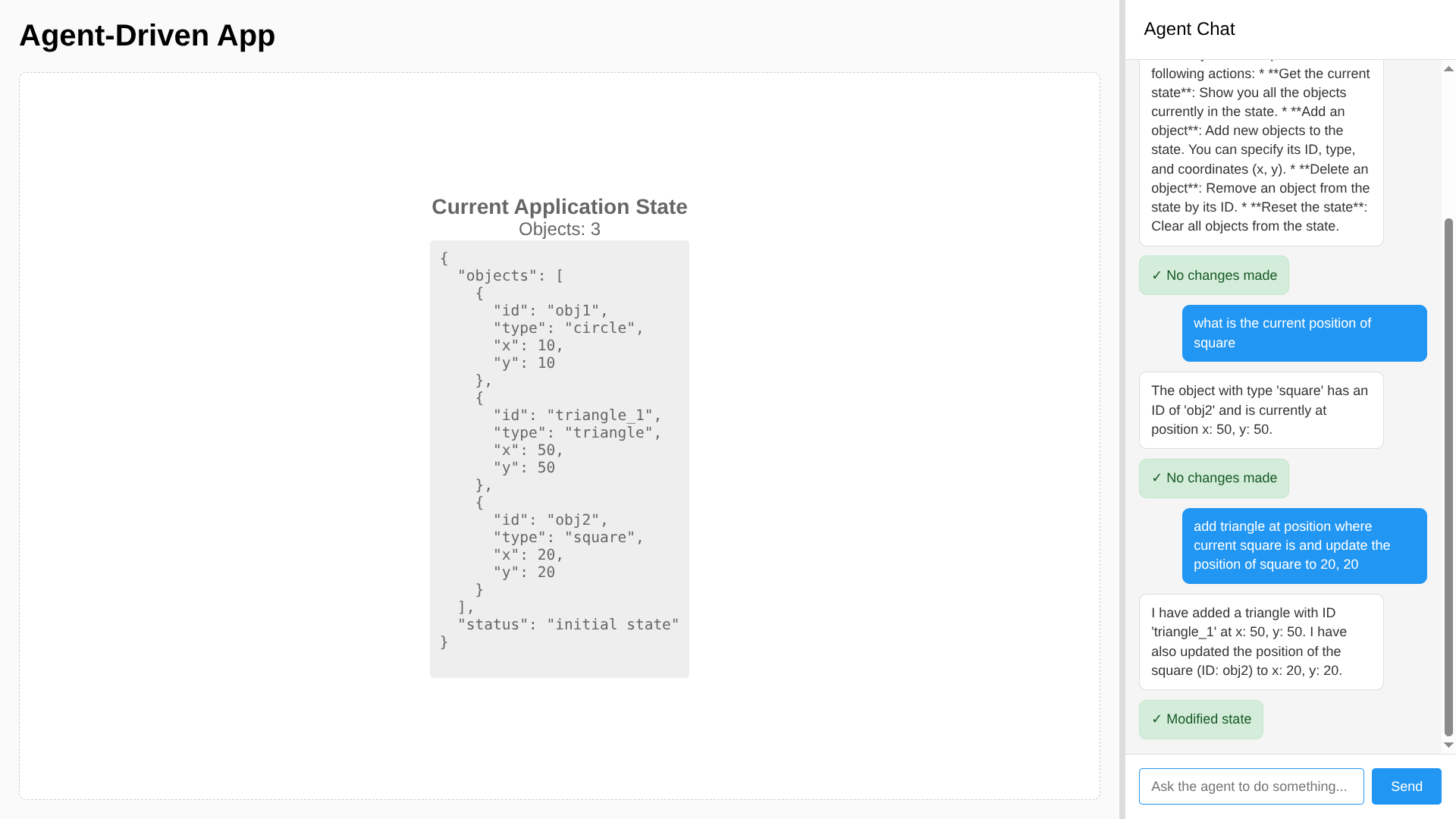
State 1: The Complex Intent I asked the agent: “add triangle at position where current square is and update the position of square to 20, 20” The agent understood it had to read the current coordinates (get info), create a new object (write), and modify the existing one (update).
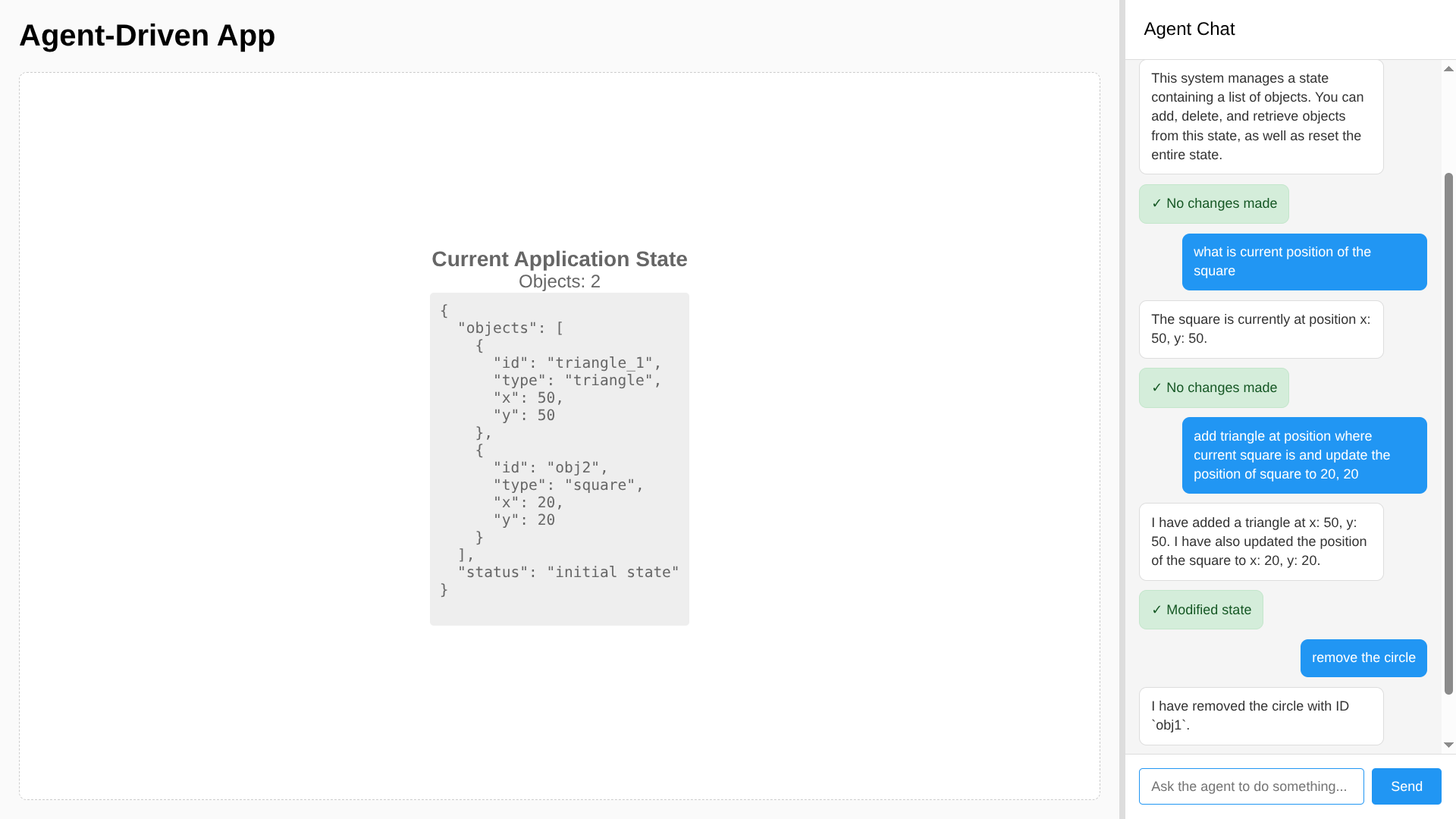
State 2: The Semantic Deletion Finally, I asked it to “remove the circle.” I didn’t provide an ID. I didn’t click a trash icon. The agent found the ID from the state and called the tool.
Every App is a State Machine
In this system, the “State” is just a list of objects on the canvas: [{"id": "circle_1", "x": 10, "y": 10}, ...]. The agent’s only job is to manipulate this list based on user commands.
I have started to view modern apps that leverage agents through a naive lens: They are apps that let an LLM modify their state. Of course, there goes more thoughts on actually implementing it.
- Coding Agents (Cursor, Windsurf, Amp, ..): The state is your file system. The LLM modifies text strings.
- Excalidraw’s AI: The state is the canvas elements. The LLM adds/removes shapes.
- Notion AI: The state is the document block tree. The LLM inserts paragraphs.
That’s why every app seems to have its own agent now. They expose their internal state to a new kind of operator. Whether you move a “Red Square” to x:20 or refactor a Python function in main.py, it’s the same thing: State Mutation.
To update this state, the agent leverages tools defined by the creator.
Tools = APIs + Common Sense
Coming from the pre-LLM era, you might look at “Agent Tools” and think, “Isn’t this just an API call?” And you’d be right. But there is a massive difference in who constructs the payload.
Previously, to remove an object, the user (or the frontend client code) needed to know the exact schema: DELETE /api/objects/{object_id}. You couldn’t just send “remove the circle.”
In my implementation, I exposed a simple interface: tool_delete_object(id).
@tool_safe
def tool_delete_object(tool_context: ToolContext, object_id: str) -> Dict[str, Any]:
    """
    Delete an object from the state by its ID.

    Args:
        object_id: The ID of the object to delete.
    """
    state = tool_context.state.get("current_state", {})
    if "objects" not in state:
        return {"status": "error", "message": "No objects found in state."}

    original_count = len(state["objects"])
    state["objects"] = [obj for obj in state["objects"] if obj.get("id") != object_id]

    if len(state["objects"]) == original_count:
        return {"status": "error", "message": f"Object with ID {object_id} not found."}

    tool_context.state["current_state"] = state
    logger.info(f"Deleted object {object_id}")

    return {
        "status": "success",
        "message": f"Deleted object {object_id}",
    }
- User says: “Remove the circle.”
- LLM thinks: “The user means the object with
type: circle. I see one withid: obj1. I will calltool_delete_object('obj1').”
The system provides the fundamental interface; the Agent maps the User Intent to that Interface. This is the key benefit: your backend defines what is possible, and the LLM figures out how to map messy human requests to those rigid definitions.
How Tool Calling Works
How does the LLM know which function to call? Agent frameworks (like the Google ADK) use Python’s reflection (code inspecting itself) to create a “user manual” for the model. It’s like how your IDE autocompletes your code.
Semantic Mapping (The “Why”): The system reads your Docstrings (via
func.__doc__) to understand intent. When I write"""Delete an object from the state by its ID""", the LLM uses that description to understand when to use the tool. This is why you don’t need to program synonyms—the model matches “destroy” to “Delete” semantically.Structural Mapping (The “How”): The system inspects your Type Hints (like
str,int, or Pydantic models). It convertsdef tool_add_object(shape: Shape)into a strict JSON Schema that the LLM must follow.- Python:
def tool_add_object(shape: Shape) - LLM Context:
{"name": "tool_add_object", "parameters": {"shape": {"type": "object", "properties": {...}}}}
- Python:
This ensures that the agent doesn’t just “guess” parameters—it is constrained to generate valid JSON that matches your exact data structure.
For a detailed breakdown of tool calling mechanics, check out The Anatomy of Tool Calling.
The System Prompt
If Tools are the Hands of the agent, the System Prompt is its Brain.
In the ADK, this isn’t “You are a helpful assistant.” It is a rigorous set of operating procedures. The prompt handles validation logic that used to require complex code:
- Identity & Role: “You are a state-management assistant.”
- Behavioral Guidelines: “When adding objects, generate meaningful IDs (e.g., ‘circle_1’).”
- Procedural Logic: “If the user asks to ‘move’ something, find it by ID first.”
This is the subtle power of the system: Logic is now text. Instead of writing a regex to validate an ID, I simply tell the agent: “Make sure IDs are unique and descriptive.” The agent enforces this rule dynamically, correcting itself if it fails. It turns rigid logic into flexible, semantic instructions.
Natural Language Interfaces
In my opinion, this shift is paving the way for Natural Language User Interfaces (NUI).
Traditionally, Product Managers had to predict every possible action a user might want and build a specific UI component for it. If you wanted to “swap the positions of the square and the triangle,” you needed a specific “Swap” button or a complex drag-and-drop implementation.
With an agentic flow, users can reference things by semantics (or “vibes”). You define the atomic actions (add, delete, move), and the Agent handles combinations the Product Manager never even thought of.
Wrapping Up
By exposing our application state to LLMs via defined tools we are building flexible interfaces that adapt to how users actually think.